INTRODUCTION
Let's be honest: 90% of the "AI 3D generated" models you see on Twitter look incredible in a video but fall apart the moment you open the wireframe.
In 2026, the promise of text-to-3D has shifted from "magic trick" to "production necessity." But for professional 3D artists, game developers, and industrial designers, the question isn't just who can generate a model. It's who can generate a model that doesn't require five hours of cleanup.
If you are tired of messy topology, non-manifold geometry, and blurry textures, this guide is for you. We tested the top contenders of 2026 to see which tools are actually production-ready and which are still just toys.
Table of Contents
- The "Shiny Object" Problem: Why Most Tools Fail
- The Top Contenders Tested (2026 Edition)
- The Missing Link: How to Inspect & Share AI Assets
- Practical Workflow: From Prompt to Production
- Legal & Ethical Reality Check
- Conclusion
The "Shiny Object" Problem: Why Most Tools Fail
Before we name names, we need to define what "works" actually means in a professional context. In 2024, we accepted blobby meshes because the tech was new. In 2026, our standards have evolved.
Topology Nightmares (Quads vs. Tris)
The biggest lie in AI 3D generation is the thumbnail. An AI might generate a stunning-looking cyberpunk helmet, but if the underlying mesh is a soup of 500,000 disconnected triangles, it is useless for animation or rigging.
Industry Reality: A "production-ready" asset needs clean edge loops (quads) that deform correctly when animated. Most AI generators still struggle here, outputting "decimated" meshes that look like scanned photogrammetry data rather than modeled geometry.
Texture Hallucinations
Another common failure point is "baked-in lighting." Bad AI generators paint shadows and highlights directly onto the texture map (Albedo). This means if you put the object in a dark scene, it still looks like it's standing in bright sunlight.
What to look for:
- PBR Maps: Does the tool generate separate Normal, Roughness, and Metallic maps?
- Delighting: Does the AI remove static shadows from the color texture?
The Top Contenders Tested (2026 Edition)
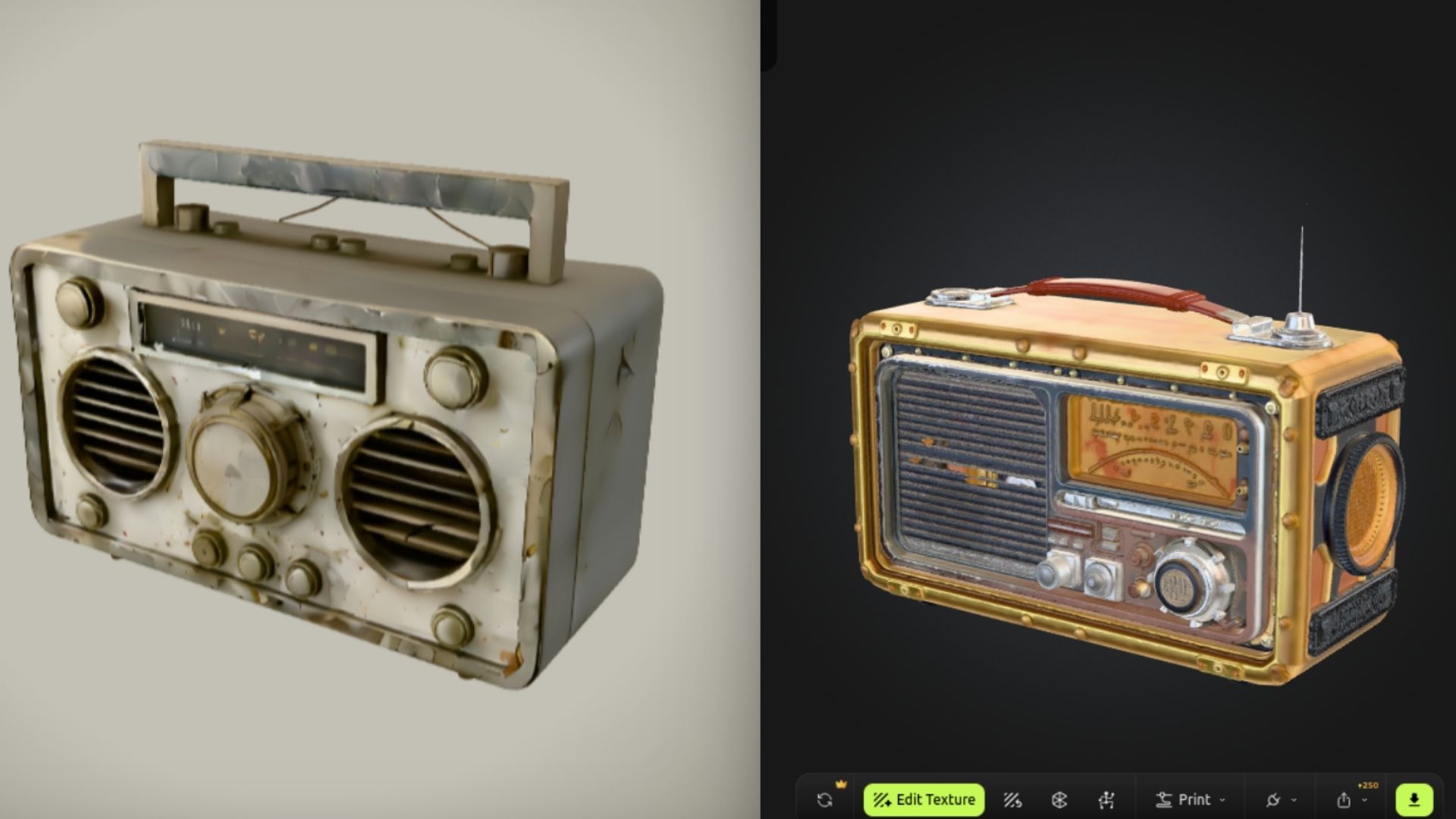
We ran the same prompt—"A weathered vintage sci-fi radio, worn metal edges, 4k textures"—through the leading platforms. Here is the honest breakdown.
1. Rodin (Hyper 3D) – The High-Fidelity King
Rodin has established itself as the heavyweight champion for geometry detail. Unlike early models that smoothed over details, Rodin actually displaces geometry based on the texture.
- Pros: Incredible surface detail; understands complex prompts better than competitors.
- Cons: The meshes are heavy. You will almost certainly need to retopologize (simplify) the mesh before putting it in a game engine.
- Best For: Concept art, 3D printing, and static renders where poly-count doesn't matter.
2. Meshy – The Texture Specialist
If you already have a block-out model and just need it textured, Meshy remains the leader. Its text-to-texture capabilities in 2026 have virtually eliminated the "seam" issues seen in older versions.
- Pros: Generates PBR maps (Normal, Roughness, Metallic) that actually react to light; fast iteration.
- Cons: Geometry generation is decent but often "soft" or melted looking compared to Rodin.
- Best For: Rapid prototyping and texturing existing assets.
3. Tripo AI – Speed Over Perfection
Tripo is the tool you use when you need 50 variations of a "rock" or "tree" in ten minutes. It is blisteringly fast but lacks the nuanced control of Rodin.
- Pros: Generates models in seconds; great for filling background scenes.
- Cons: Lower resolution textures; topology is often messy.
- Best For: Level design blocking and background assets.
The Missing Link: How to Inspect & Share AI Assets
Here is a scenario every 3D pro knows: You generate 10 different AI models. They are all massive .OBJ or .STL files. You need to show them to your creative director or client to pick a direction.
Do you email 500MB of attachments? Do you ask them to install a 3D viewer?
This is where the workflow usually breaks.
💡 Pro Tip: The "Vizcad" Advantage
When dealing with heavy AI-generated files, you need a way to view them instantly without clogging up your hard drive or your client's inbox.
Vizcad solves the "viewer bottleneck" by allowing you to:
- Instant Browser Access: Drag and drop your AI-generated STEP, STL, or OBJ files directly into the browser. No installation required.
- Inspect Geometry: Check if that AI model is actually usable or just a mess of triangles before you import it into Blender.
- Smart Sharing: Send a single link to your team. They can rotate, zoom, and comment on the 3D model in real-time from their phone or laptop.
Why it matters: AI generation is fast, but the review process is slow. Using a tool like Vizcad bridges that gap, turning a 2-day feedback loop into a 5-minute review.
Practical Workflow: From Prompt to Production
If you want to use AI 3D generation professionally in 2026, stop trying to get a "final" result in one click. Instead, treat AI as a powerful starting point.
Step 1: The "Block-Out" Generation
Use a tool like Tripo or Rodin to generate the base shape. Don't worry about the texture yet; focus on the silhouette.
- Goal: Get a solid 3D form that matches your concept art.
Step 2: The "Reality Check" (Inspection)
Before you waste time texturing, upload the raw mesh to Vizcad.
- Spin it around. Look for "floating geometry" (parts not connected to the main body).
- Check the scale. AI models often come in at arbitrary sizes (e.g., a chair that is 50 meters tall).
Step 3: Retopology & UVs
Take the approved mesh into Blender or Maya.
- Use auto-retopology tools (like QuadRemesher) to convert the AI's messy triangles into clean quads.
- Create proper UV maps. AI auto-UVs are usually fragmented and impossible to edit.
Step 4: AI Texturing
Now, import your clean mesh into Meshy or use stable-diffusion based texture painting tools to apply high-quality PBR materials.
Legal & Ethical Reality Check
We cannot talk about AI in 2026 without addressing the elephant in the room: Copyright.
As of the latest 2025 rulings, pure AI-generated content cannot be copyrighted in the US. However, significant human modification does grant copyright.
The "Human-in-the-Loop" Rule:
If you type "cat" and hit enter, you don't own that model. But if you:
- Generate the base mesh with AI.
- Retopologize it manually.
- Edit the silhouette in ZBrush.
- Combine it with other assets.
You have now created a derivative work that is much safer to use in commercial projects [1]. Always check the specific Terms of Service of the generator you use—some "free" tiers claim ownership of your assets.
Conclusion
So, which AI 3D generator actually works in 2026?
- If you need geometry detail for 3D printing or concept art: Rodin.
- If you need textures for game assets: Meshy.
- If you need speed for background props: Tripo.
But remember: The tool is only as good as the workflow. The secret to professional results isn't just generating the file—it's how you inspect, clean, and share that data.
Tools like Vizcad are becoming just as essential as the generators themselves, providing the infrastructure to actually manage the flood of 3D data AI creates.
Ready to streamline your 3D workflow? Stop emailing massive files and start collaborating in real-time.
👉 Go to the Viz-CAD Dashboard and Invite Your Team
References
[1] U.S. Copyright Office – Copyright Registration Guidance: Works Containing Material Generated by Artificial Intelligence (2025)
[2] GDC Reports – Industry Survey on AI Adoption in Game Development (2025)
[3] Journal of Computer Graphics – Comparative Analysis of Neural Rendering vs. Traditional Photogrammetry (2026)
[4] TechCrunch – The State of 3D Generative AI, Q1 2026 Analysis
Further Reading
About the Author

Ferhat RudvanoğullarıMechatronics Engineer
Ferhat RUDVANOĞULLARI is a Mechatronics Engineer and the founder of Viz-CAD. Throughout his career, he has transferred the engineering perspective and system development experience gained from R&D projects into Viz-CAD, aiming to redefine engineering design processes through web-based solutions. Recently, he has focused his work on web-based 3D technologies and artificial intelligence applications, developing accessible, scalable, and innovative design infrastructures by bringing engineering tools to the browser environment.