Generative Design vs Traditional CAD: Which Saves More Time and Cost in 2026?
The engineering landscape has shifted dramatically. In 2026, the question isn't just about which software draws lines faster; it's about which methodology survives the tightening grip of production schedules and budget cuts. For decades, Traditional CAD (Computer-Aided Design) has been the gold standard for documenting design intent. However, Generative Design has emerged from the experimental fringes to become a dominant force in high-performance engineering.
But does the hype match the ROI? With generative software licenses often costing double or triple that of standard CAD packages, the financial argument can seem murky.
In this comprehensive analysis, we break down the real-world metrics of Generative Design vs Traditional CAD. We will explore the hidden time-sinks, the material cost reductions, and the specific workflows that are saving forward-thinking companies up to 40% in total development costs this year.
Table of Contents
- The Core Difference: Explicit Modeling vs. Artificial Intelligence
- Time Analysis: The Velocity of Iteration
- Cost Breakdown: Software Premiums vs. Material Savings
- The Hidden Bottleneck: Hardware and Collaboration
- Practical Implementation: The Hybrid Workflow
- Common Mistakes to Avoid
- Conclusion
The Core Difference: Explicit Modeling vs. Artificial Intelligence
To understand the savings, we must first distinguish the fundamental mechanics of each approach. They are not just different tools; they are opposing philosophies.
Traditional CAD: The Digital Drafting Board
Traditional CAD is geometry-based. It relies entirely on the engineer's intuition and manual input. You draw a sketch, extrude it, cut holes, and fillet edges. It is a linear process: Idea → Model → Simulate → Fail → Redraw.
- Best for: Standardized parts, sheet metal, assemblies with strict geometric constraints (e.g., enclosures).
- Limitation: You can only evaluate as many designs as you can manually draw.
Generative Design: The Logic-Based Solver
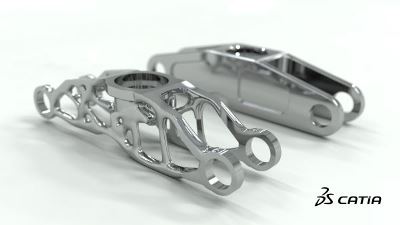
Generative Design is parameter-based. You don't draw the geometry; you define the problem. You input constraints (loads, materials, manufacturing methods) and goals (minimize mass, maximize stiffness). The software then uses cloud computing to explore thousands of potential solutions, often producing organic, "alien-like" forms that maximize performance.
- Best for: Lightweighting, complex load paths, consolidation of multipart assemblies.
- Advantage: It uncovers solutions a human mind would never conceive.
Expert Insight: "Traditional CAD documents a decision you have already made. Generative Design helps you make the decision."
Time Analysis: The Velocity of Iteration
Time is the most expensive resource in product development. In 2026, the speed of iteration—how fast you can go from "concept" to "validated design"—defines market leadership.
1. The Ideation Phase
In a traditional workflow, a skilled engineer might model 3-5 distinct concepts in a week. Each concept requires manual sketching, dimensioning, and assembly mating.
Generative design flips this dynamic. In the same week, an engineer can set up one study and generate 100+ valid iterations overnight. The software handles the heavy lifting of geometry creation, effectively acting as a force multiplier for the engineering team.
- Traditional CAD: ~20 hours for 3 concepts.
- Generative Design: ~4 hours setup for 100+ concepts.
2. The Validation Phase
This is where the "Time Saved" metric becomes nuanced. While Generative Design creates options faster, analyzing them takes time. Sifting through 100 options to find the manufacturable winner can lead to "analysis paralysis" if not managed correctly.
However, modern generative tools now include automated ranking (e.g., "Sort by Manufacturing Cost" or "Sort by Mass"). Recent data suggests that for complex assemblies, generative workflows reduce the total design-to-validation cycle by 60-75% compared to manual iteration [1].
Cost Breakdown: Software Premiums vs. Material Savings
The sticker shock of generative design software is real. However, looking only at the software license fee is a rookie mistake. You must analyze the Total Cost of Ownership (TCO) and the downstream manufacturing impact.
1. Material Reduction (Lightweighting)
This is the primary ROI driver. Generative algorithms naturally remove material from low-stress areas, resulting in parts that are 30-50% lighter than human-designed counterparts [2].
Real-World Impact:
- Aerospace: Saving 1kg of weight saves ~$3,000 in fuel annually per aircraft.
- Automotive: Lighter EV chassis components directly extend battery range, reducing the need for expensive battery cells.
- Consumer Goods: Using 40% less plastic per unit scales into millions in savings over a production run.
2. Part Consolidation
Generative design often combines multi-part assemblies into a single printable or castable part.
- Traditional: An assembly with 8 parts requires 8 drawings, 8 molds, 16 fasteners, and assembly labor.
- Generative: 1 part. Zero assembly labor. Zero fastener inventory cost.
3. The "Hidden" Cost: Hardware and Compute
Here is the gap most analyses miss. Generative design requires massive computational power. While the solving happens in the cloud, viewing and manipulating the resulting complex meshes (often gigabytes in size) can bring a standard engineering laptop to its knees.
This often forces companies to buy $5,000+ workstations for every stakeholder, just so they can open the file to approve it. This hardware tax can kill the ROI of the project.
The Hidden Bottleneck: Hardware and Collaboration
You have generated a brilliant, lightweight bracket that saves $50 per unit. Now you need to show it to the manufacturing lead, the client, and the procurement manager.
The Problem: They don't have the high-end CAD software installed. They don't have a GPU-heavy workstation. So, you take screenshots (which lose detail) or export massive STEP files that crash their email. This communication lag adds weeks to the project.
The Solution: Decouple the viewing from the generating.
Pro Tip: Eliminate the Hardware Tax with Vizcad
Don't force your stakeholders to install heavy software or buy expensive workstations just to review a design.
Vizcad allows you to upload complex STEP, STL, and OBJ files—including intricate generative geometry—and view them instantly in any web browser.
- Universal Browser-Based Access: Your client can rotate, zoom, and inspect the 3D model on their iPad or standard laptop without lag.
- Smart & Instant Sharing: Replace 500MB email attachments with a single, secure link.
- Real-Time Team Collaboration: Team members can leave comments directly on the 3D model, cutting revision cycles by days.
By using Vizcad for the review phase, you ensure that the speed gained by generative design isn't lost in the approval process.
👉 Go to the Viz-CAD Dashboard and Invite Your Team
Practical Implementation: The Hybrid Workflow
The winner in 2026 isn't "Generative OR Traditional." It is "Generative AND Traditional." The most efficient teams use a hybrid workflow that leverages the strengths of both.
Step 1: Define (Traditional CAD)
Use traditional CAD to model the "keep-in" zones (connection points, bolt holes) and "keep-out" zones (areas where geometry cannot exist). This requires the precision of parametric modeling.
Step 2: Generate (Generative Design)
Run the generative study to create the organic structure connecting those zones. Let the algorithm solve the load paths.
Step 3: Refine (Traditional CAD)
Export the result back to traditional CAD (B-Rep). Use manual tools to clean up the geometry, add machining tolerances, and ensure surfaces are smooth for manufacturing.
Step 4: Review (Vizcad)
Upload the final assembly to Vizcad. Invite the manufacturing engineer to check for printability and the finance team to approve the material volume.
Data-Driven Results
Companies adopting this hybrid approach report a 40% reduction in overall development costs due to fewer physical prototypes and faster sign-offs [3].
Common Mistakes to Avoid
Even with the best tools, implementation often fails due to process errors. Avoid these three common traps:
- Over-Constraining the Problem: If you tell the software exactly what to do, it cannot innovate. Leave the design space as open as possible to allow the algorithm to find unexpected solutions.
- Ignoring Manufacturing Constraints: A beautiful organic shape is useless if it costs $10,000 to print. Always set your manufacturing method (e.g., "3-axis milling" or "Additive") before running the study.
- The "Black Box" Trust: Never blindly accept a generative result. Always run a final validation simulation (FEA) to ensure safety factors are met.
Conclusion
So, which saves more time and cost in 2026?
Traditional CAD remains the king of cost-efficiency for simple, prismatic parts where the design is already known. It is faster for documentation and requires less training.
However, for complex, performance-critical components, Generative Design is the clear winner. The ability to reduce material usage by 40% and consolidate assemblies outweighs the higher upfront software costs.
The true competitive advantage, however, lies not just in the creation of the geometry, but in the management of the data. By combining the raw power of generative algorithms with agile, browser-based collaboration tools like Vizcad, you remove the hardware barriers that slow down innovation.
Stop designing for the past. Embrace the hybrid workflow, optimize your compute spend, and let the algorithms do the heavy lifting.
References
[1] Menlo Ventures – 2025 State of Generative AI in the Enterprise
[2] Monograph – Automated CAD & Efficiency Reports (2024)
[3] Encodedots – Generative AI Cost Savings Analysis (2025)
[4] Clarity Points – Generative Design Market Growth Report (2025)
Further Reading
Autodesk Research – Generative Design Studies
PTC / Frustum – Generative Technology
NIST – Manufacturing Standards
About the Author

Ferhat RudvanoğullarıMechatronics Engineer
Ferhat RUDVANOĞULLARI is a Mechatronics Engineer and the founder of Viz-CAD. Throughout his career, he has transferred the engineering perspective and system development experience gained from R&D projects into Viz-CAD, aiming to redefine engineering design processes through web-based solutions. Recently, he has focused his work on web-based 3D technologies and artificial intelligence applications, developing accessible, scalable, and innovative design infrastructures by bringing engineering tools to the browser environment.